
How to Access Your Montessori Curriculum to Standards Alignment Digital Subscription
Hello, !
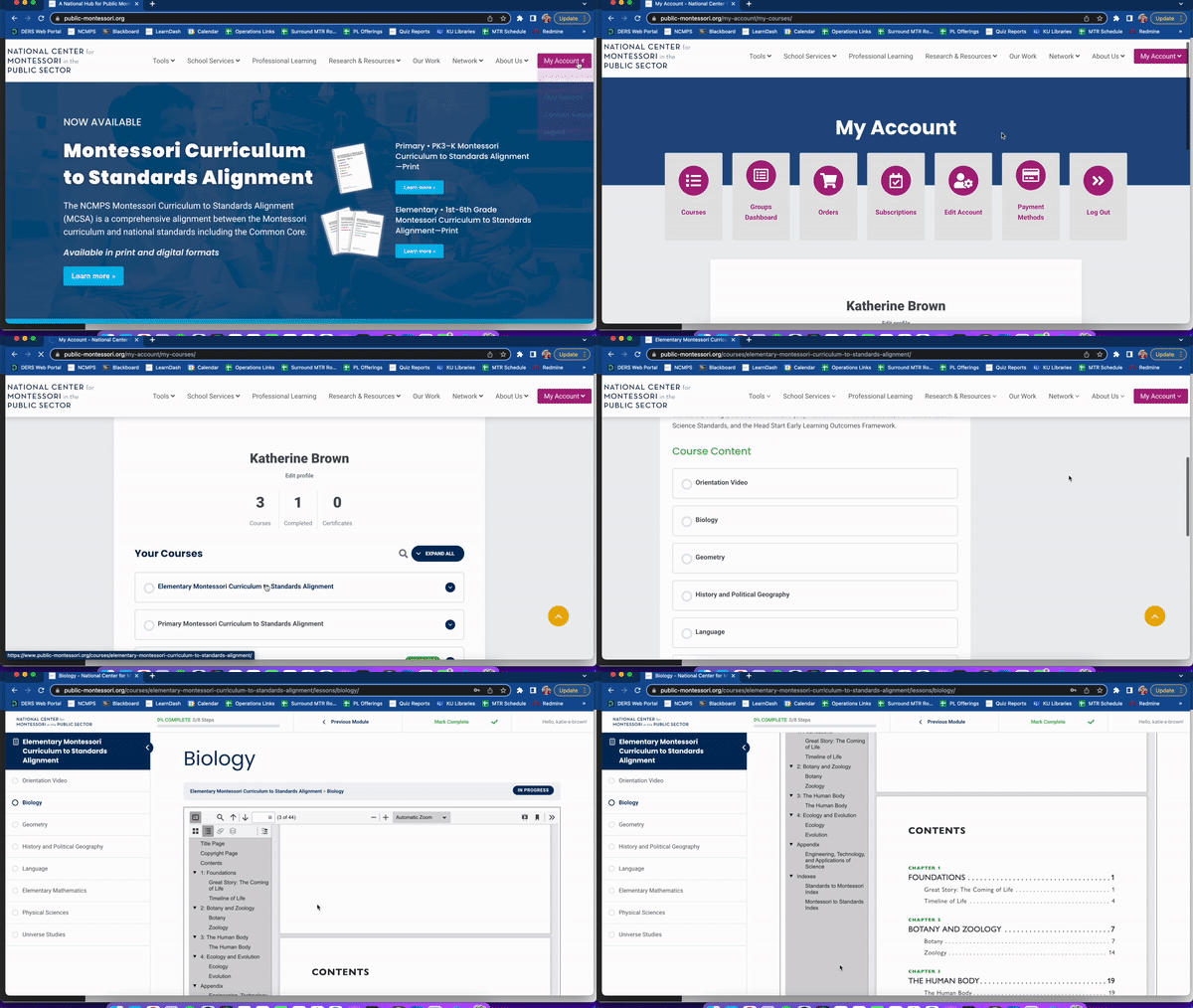
Thank you for purchasing a digital subscription to the . To access the albums, log in to your account at www.public-montessori.org, then click “My Account” and select “Courses.” Select from the course dashboard, then scroll all the way to the bottom and click on an album under “Course Content.” From there, you can navigate among the albums as desired.
Please reach out to MCSA@public-montessori.org with any questions. Thank you!
-The NCMPS Professional Learning Team
